Demo Site. Don't Use. Visit https://oscar.uscourts.gov/ to access OSCAR.

Demo Site. Don't Use. Visit https://oscar.uscourts.gov/ to access OSCAR.
Everything You Need to Know About Recommendation Letters
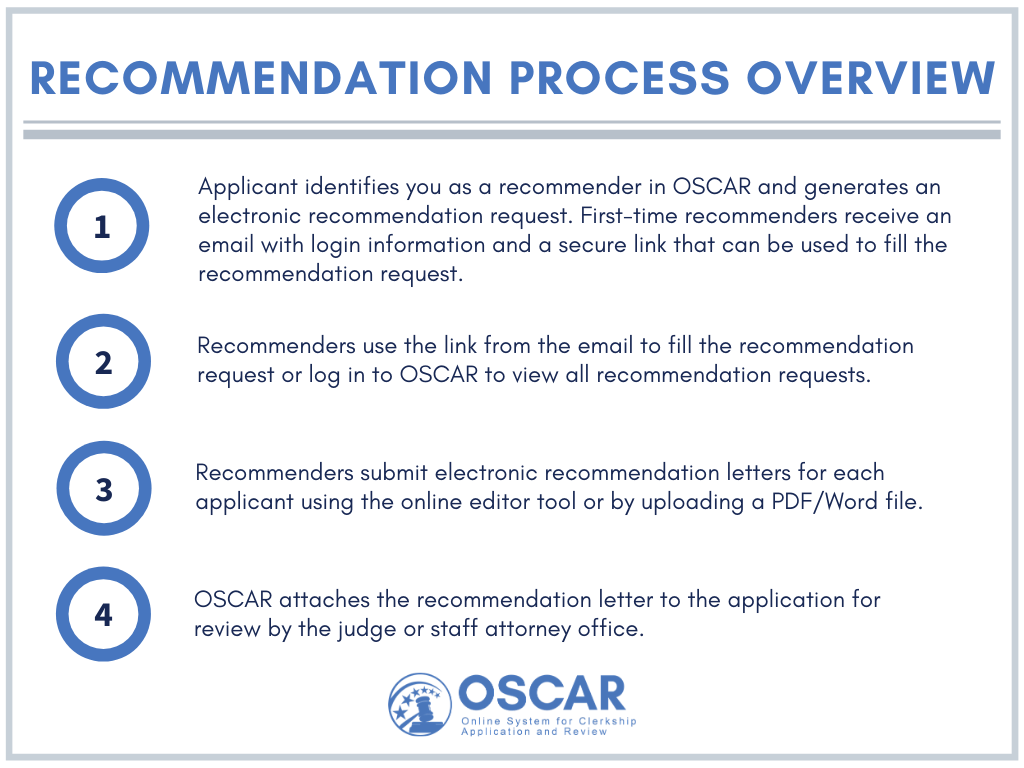
Recommendations in OSCAR mimic the process used in the paper world, in which an applicant requests a letter of recommendation, and the recommender writes the letter and mails it to the judge or staff attorney office on behalf of the applicant. In OSCAR, this process is handled online. An applicant will generate a recommendation request that is sent to the recommender's account. The recommender then creates and uploads an electronic document, and OSCAR sends it to the judge or staff attorney office as part of the application.
As a recommender, you have flexibility on how you upload your recommendation letters in OSCAR. Whether writing for one applicant or multiple applicants, you can create letters via OSCAR’s online editor and easy-to-use templates, or upload individual PDF/Word files. OSCAR's online editor and template options include merge codes, allowing you to personalize your letter for each applicant with the click of a button.